Electric bills always felt higher than expected until I started noticing how many devices stayed plugged in all day without being used. That’s when I learned how to reduce phantom energy home and realized just how much electricity quietly slips away through everyday electronics.
What Is Phantom Energy?
Understanding the problem is the first step to fixing it.
Phantom energy, also called standby power or vampire energy, is the electricity consumed by devices even when they appear to be turned off. Many electronics stay in a low-power mode so they can start quickly or remain connected to networks.
This hidden energy use often goes unnoticed because it doesn’t involve active usage. However, over time, it adds up significantly, especially in homes filled with modern electronics and smart devices.
So, Why Does Phantom Energy Matter?
This hidden usage has a bigger impact than most people expect.
Studies show phantom energy can account for anywhere between 10% to 30% of a household’s electricity bill. That means a noticeable portion of your monthly expenses may be going toward devices you are not even actively using.
Beyond cost, reducing standby power also lowers overall energy consumption, which contributes to a more sustainable lifestyle. Small changes in this area can create long-term benefits for both your wallet and the environment.
Common Energy Vampires At Home
These everyday devices are often the biggest contributors.
| Device Category | Examples | Why It Drains Power |
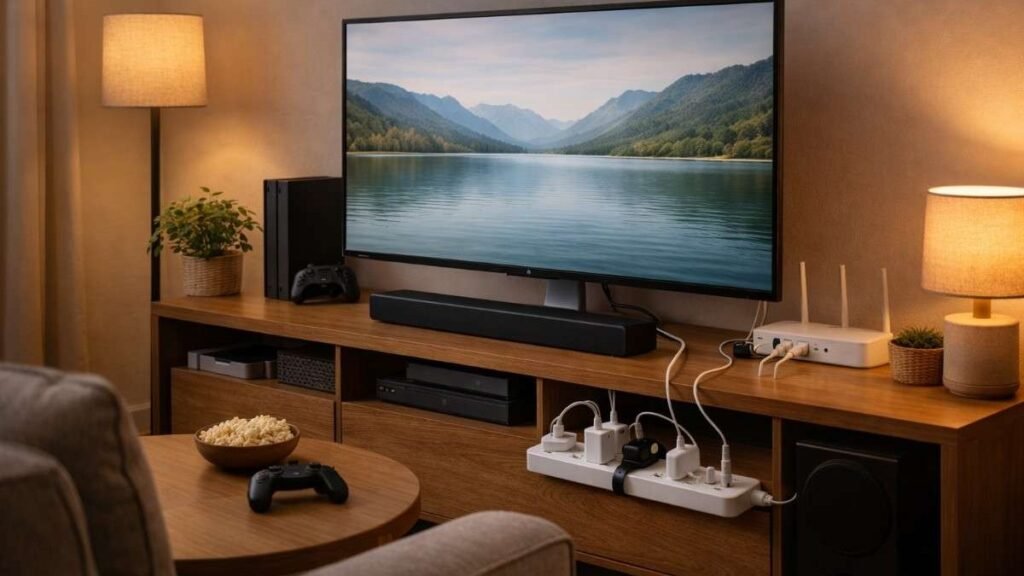
| Entertainment | TVs, gaming consoles, sound systems | Stay ready for remote signals and updates |
| Computers | Desktops, monitors, printers | Remain partially active even when off |
| Kitchen | Microwaves, coffee makers | Digital displays consume constant power |
| Smart Devices | Smart speakers, smart bulbs | Always connected to Wi-Fi and listening |
These devices are found in almost every home, which is why phantom energy can quickly become a widespread issue if left unmanaged.
Top Ways To Reduce Phantom Energy Home
Let’s look at the most effective strategies that actually work.
Unplug Idle Electronics To Reduce Phantom Energy Home
Unplugging devices when they are not in use completely cuts off their power supply. Focus on chargers, small appliances, and seasonal electronics like fans or air purifiers. This habit alone can significantly reduce unnecessary energy consumption over time.
It may feel inconvenient at first, but pairing devices together in accessible outlets can make unplugging quicker and more consistent.
Use Smart Power Strips To Reduce Phantom Energy Home
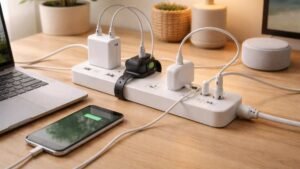
Smart power strips automatically cut power to connected devices when the main device is turned off. For example, when you shut down your computer, the strip can also turn off your printer, speakers, and other accessories.
This removes the need for manual unplugging and ensures that multiple devices stop drawing power at once, making it a highly efficient solution.
Adjust Settings To Reduce Phantom Energy Home
Many modern electronics have features like instant-on or quick-start modes that consume energy continuously. Switching these settings to energy-saving modes can reduce standby consumption dramatically.
Gaming consoles, for example, can use up to 90% less power when switched to energy-saving mode instead of standby mode.
How To Reduce Phantom Energy Home
Here is a practical step-by-step approach you can follow in daily life.
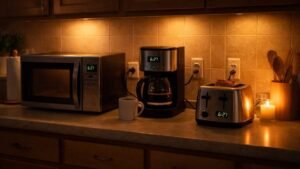
- Start by walking through your home and identifying devices that remain plugged in even when not actively used. Pay close attention to entertainment setups, kitchen appliances, and workstations where multiple electronics are connected.
- Once identified, begin unplugging devices that are rarely used or only needed occasionally.
- Next, install smart power strips in high-use areas so that multiple devices can be controlled automatically without extra effort. Adjust the settings on frequently used electronics to enable energy-saving modes and disable unnecessary standby features.
- Finally, monitor your progress using a simple energy meter or smart plug to understand which devices consume the most power and refine your approach over time.
Identify Phantom Load Devices Easily
Knowing what to target makes the process much easier.
Use Energy Meters For Accurate Insights
Use a watt meter to measure electricity as it allows you to see exactly how much electricity a device consumes when idle. This helps identify which devices are worth unplugging or replacing.
Some local libraries and utility programs even provide these meters for free, making them accessible for most households.
Observe Daily Usage Patterns
Take note of devices that stay plugged in throughout the day without being used. Items like routers, chargers, and entertainment systems often run continuously without much attention.
Recognizing these patterns helps you make smarter decisions about which devices to manage more actively.
Focus On High-Use Zones
Living rooms, kitchens, and home offices tend to have the highest concentration of electronics. Prioritizing these areas delivers faster and more noticeable results.
Upgrade To Energy Efficient Solutions
Modern devices are designed to consume less standby power.
Choose ENERGY STAR Appliances
Efficiency starts with better products.
ENERGY STAR certified appliances are built to use significantly less energy in both active and standby modes. Replacing older devices with these options can reduce long-term consumption.
This is especially useful for appliances that remain plugged in all the time, such as refrigerators and entertainment systems.
Replace Old Electronics
Outdated devices tend to consume more standby power compared to newer versions. Upgrading them not only reduces phantom energy but also improves overall performance. Even small upgrades, like replacing an old TV or computer, can make a noticeable difference.
Combine Efficiency With Smart Tech

Using smart plugs, timers, and automation systems ensures that devices only consume power when needed. This combination of efficiency and control creates a highly optimized home setup.
Frequently Asked Questions
1. How Can I Reduce Phantom Energy Home Quickly?
Unplug unused devices, use smart power strips, and enable energy-saving modes. These steps provide immediate results without requiring major changes.
2. Does Phantom Energy Really Increase Bills?
Yes, it can contribute up to 10% to 30% of your electricity bill depending on the number of devices in your home.
3. What Devices Should I Focus On First?
Start with entertainment systems, kitchen appliances, and computers since they are the most common sources of standby power.
4. Are Smart Plugs Effective To Reduce Phantom Energy Home?
Yes, they allow you to monitor and control power usage easily, making them one of the most effective solutions.
Stop Power Wastage
Taking steps to reduce phantom energy home is one of the simplest ways to lower electricity bills without sacrificing comfort. By identifying energy-draining devices, using smart tools, and upgrading to efficient appliances, you can significantly cut unnecessary power usage. Over time, these small adjustments build better habits and create a more energy-efficient home that saves money while reducing overall consumption.